

Three ways to enrich
1
Single profile enrichment
Open a candidate card and click Enrich. Cobalt fetches the verified email address, direct phone number, LinkedIn profile URL, work experience history, listed skills, and education — all in one click. Results appear on the profile within seconds.
2
Bulk enrichment
Select multiple profiles from any list view and click Enrich All. Cobalt processes profiles in batches and updates each record automatically. Ideal after importing a set of CVs, refreshing a talent pool, or running a new Balt search.
3
Chrome Extension — enrich directly from LinkedIn
Install the Cobalt Chrome Extension. From any LinkedIn profile, click the Cobalt icon to extract the candidate’s email and phone number, add them to a Cobalt list, and sync the record to your CRM — all without leaving the LinkedIn tab.
Cascade method and verification
Cobalt uses a cascade (waterfall) method: it queries multiple data providers in sequence and stops as soon as a valid result is found. This multi-source approach maximises coverage while maintaining data freshness. Email addresses go through a double verification step — a syntax check followed by an SMTP check to confirm the mailbox exists and can receive messages. Only addresses that pass both checks are written to the profile.Effective coverage depends on the profile and sector. Cobalt does not guarantee a fixed coverage rate for every profile type.
Enrich a record by importing a document
By importing a document (CV, PDF profile…), you can enrich a candidate’s record with the new data it contains. When information is contradictory with existing data, Cobalt helps you resolve conflicts to choose which data to keep.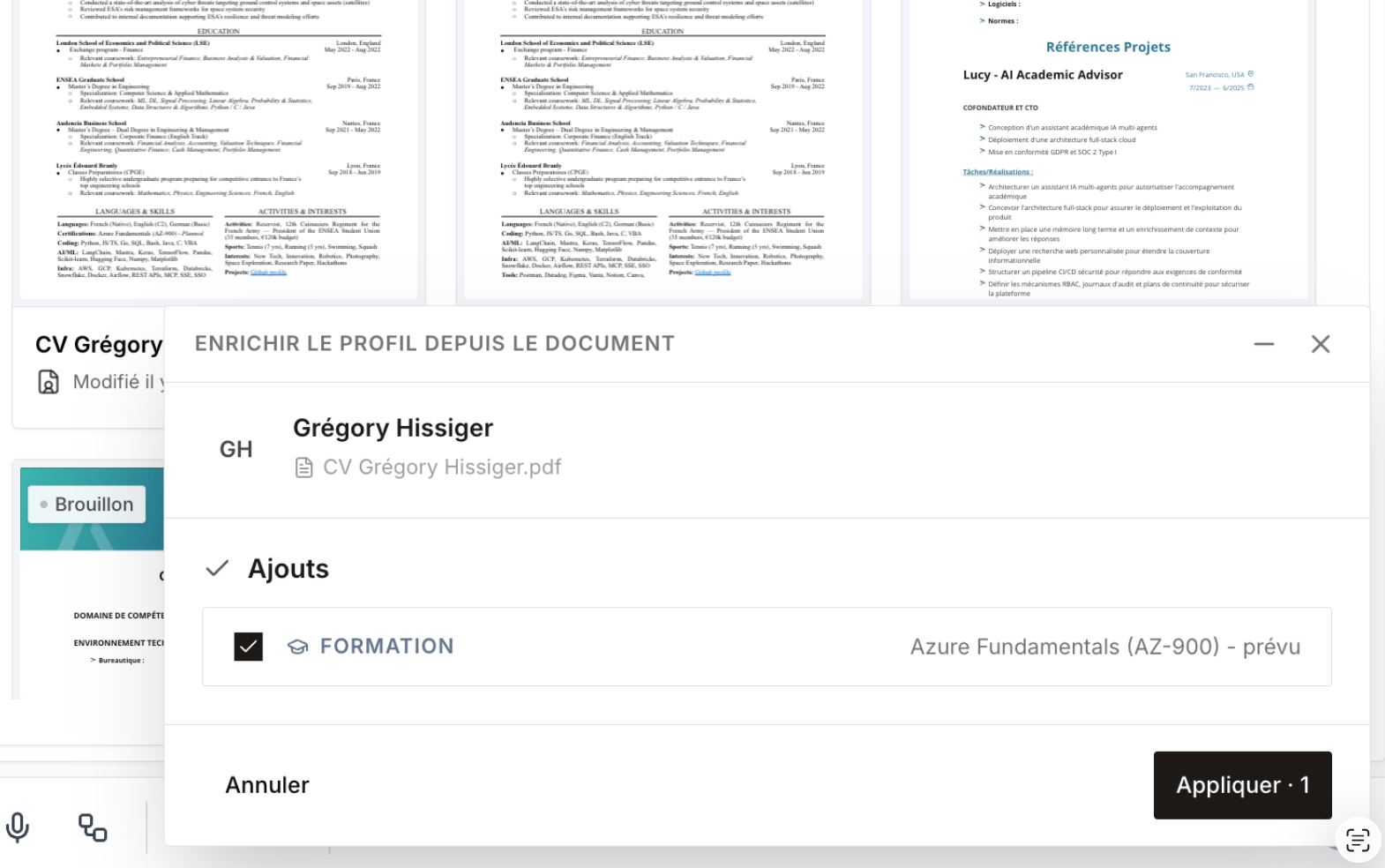
Credit system
Enrichment consumes credits from your monthly plan quota, shared across your entire team.
Monthly credits included by plan:
Additional credit packs are available at any time without a plan change. See the Pricing page for details.
Historical database enrichment: at onboarding, you can request a one-off enrichment of your entire existing database in a single batch operation. Cobalt processes the full export and returns enriched records. Contact your account manager to include this in your onboarding plan.
GDPR compliance
All enriched data is sourced exclusively from GDPR-compliant providers and stored on EU infrastructure with end-to-end encryption. Candidates can exercise their right to deletion at any time, and Cobalt propagates the deletion across all associated records automatically.Plan availability
Frequently asked questions
How does Cobalt find contact details?
How does Cobalt find contact details?
Cobalt queries multiple third-party data providers in sequence — the process stops as soon as a valid, verified result is found. This multi-source approach maximises coverage while keeping data fresh and accurate.
Is the email data verified?
Is the email data verified?
Yes. Every email address goes through a double verification step: a syntax check to confirm the address is correctly formatted, followed by an SMTP check to confirm the mailbox exists and can receive messages. Only addresses that pass both checks are written to the profile.
Can I enrich my entire existing database?
Can I enrich my entire existing database?
Yes. Cobalt offers a one-off historical enrichment add-on, available at onboarding. You export your existing database, Cobalt processes it, and returns fully enriched records — no manual work required on your side. Speak to your account manager to set this up.
What if I run out of credits?
What if I run out of credits?
Cobalt sends you a notification when your credit balance runs low. You can purchase an additional credit pack directly from your account settings at any time — there is no service interruption and no need to upgrade your plan.