> ## Documentation Index
> Fetch the complete documentation index at: https://docs.cobalt-ia.com/llms.txt
> Use this file to discover all available pages before exploring further.
# Connect Cobalt to BoondManager
> Cobalt's native two-way BoondManager integration syncs candidates, clients, needs, and companies in real time.
Cobalt has a native integration with BoondManager. Once connected, candidates, clients, needs, and companies flow automatically between both platforms in real time.
## What syncs
The sync is **two-way** and in **real time** for:
* Candidates
* Clients
* Needs
* Companies
Any change made on one side appears on the other within seconds. No scheduled sync required.
## How to connect
Connect BoondManager before importing other data to avoid duplicate records.
In Cobalt, go to **Settings → Integrations** and click **BoondManager**.
The connection requires three credentials:
* **Client token**
* **Client key**
* **User token**
The **client token** and **client key** are found in BoondManager under **Administration → Developer space → API / Sandbox**.
The **user token** is found under **My account**, by opening the **API** dropdown menu.
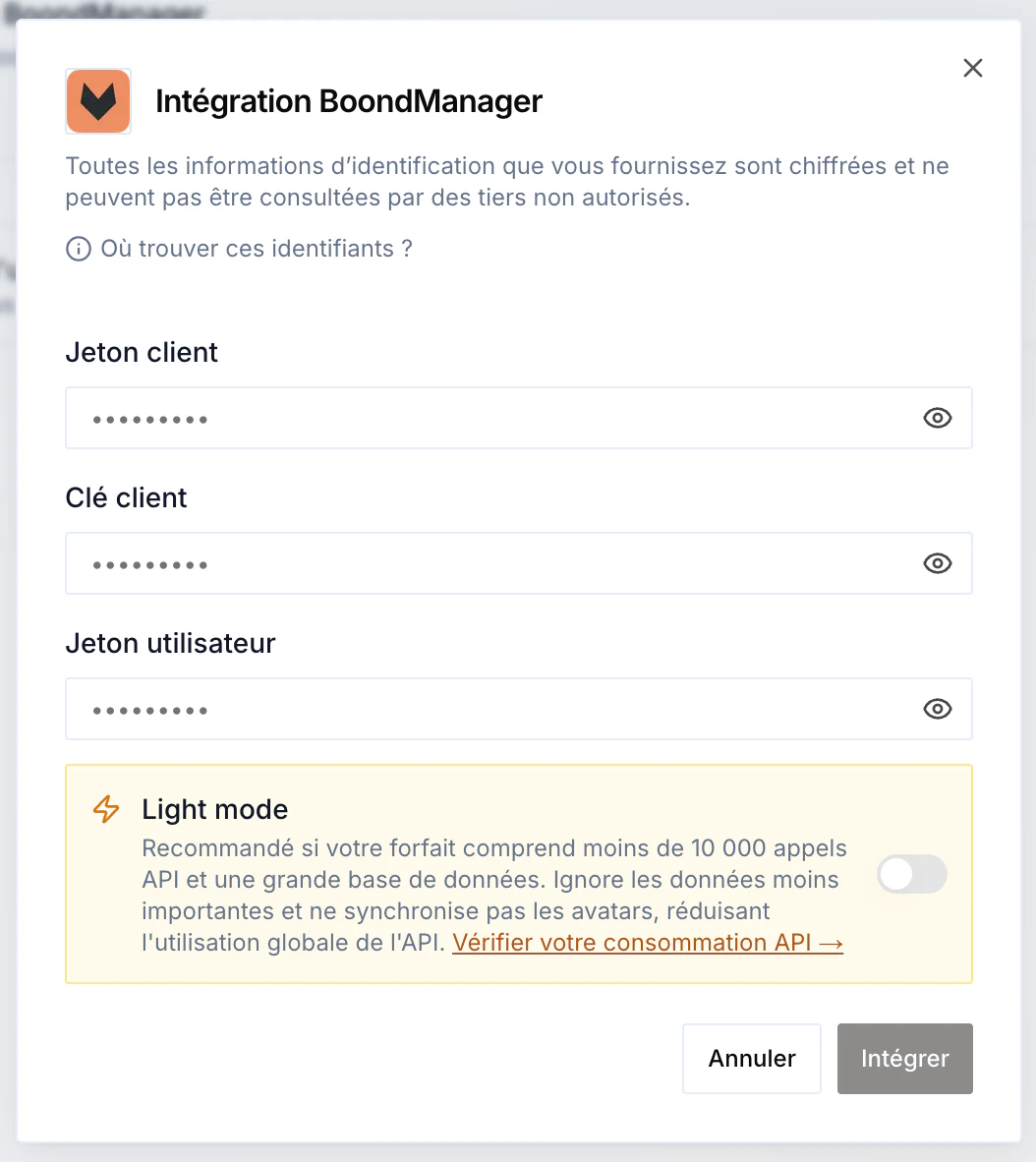 **Light mode** limits API consumption during the sync: it skips the least important data (for example avatars). Recommended if your BoondManager plan includes few API calls and a large database. You can check your consumption in BoondManager's **Developer space**.
Once the three tokens are entered, start the sync. Depending on the size of your database, it takes between **2 minutes** (under 5,000 records) and **1 hour** (over 100,000). Everything runs **asynchronously** — there's nothing to do on your side.
**Light mode** limits API consumption during the sync: it skips the least important data (for example avatars). Recommended if your BoondManager plan includes few API calls and a large database. You can check your consumption in BoondManager's **Developer space**.
Once the three tokens are entered, start the sync. Depending on the size of your database, it takes between **2 minutes** (under 5,000 records) and **1 hour** (over 100,000). Everything runs **asynchronously** — there's nothing to do on your side.