> ## Documentation Index
> Fetch the complete documentation index at: https://docs.cobalt-ia.com/llms.txt
> Use this file to discover all available pages before exploring further.
# Message templates
> Create reusable message templates for your workflows, by channel type.
**Message templates** are reusable templates you insert into your workflows, typically in communication blocks.
They come by **channel type**:
* **Email**
* **LinkedIn**
* **WhatsApp**
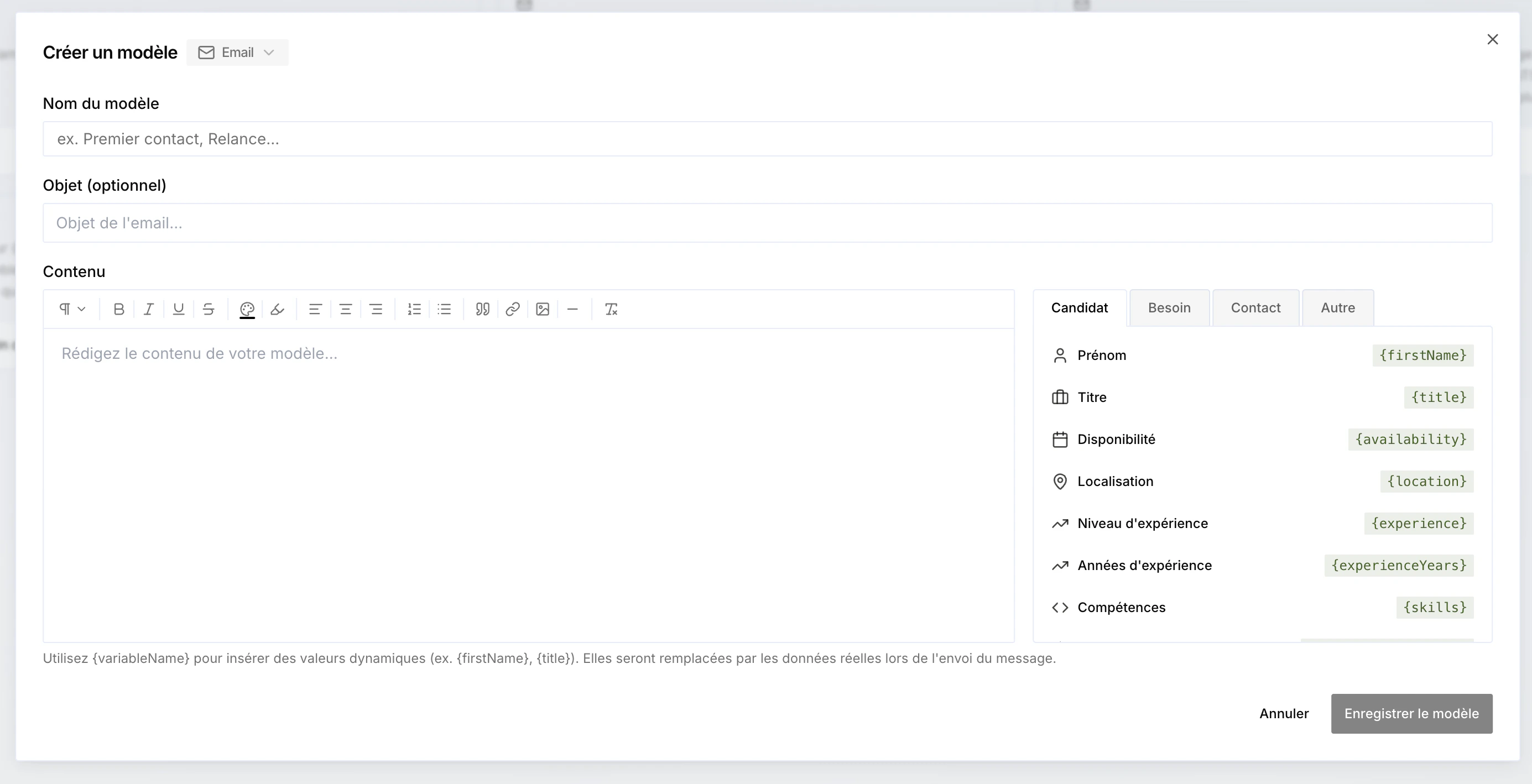 Each template can include **all the variables available in Cobalt** (`{firstName}`, `{title}`, `{availability}`…), replaced with the real data when the message is sent. You can also insert variables in the **subject** of an email template.
Variables are grouped by category — **Candidate**, **Need**, **Contact**, **Project**… The **Project** type gives access to all the project's columns, including your [custom project variables](/en/fonctionnalites/projets/overview#project-variables).
The ability to **attach files** to templates is coming soon.
Each template can include **all the variables available in Cobalt** (`{firstName}`, `{title}`, `{availability}`…), replaced with the real data when the message is sent. You can also insert variables in the **subject** of an email template.
Variables are grouped by category — **Candidate**, **Need**, **Contact**, **Project**… The **Project** type gives access to all the project's columns, including your [custom project variables](/en/fonctionnalites/projets/overview#project-variables).
The ability to **attach files** to templates is coming soon.