> ## Documentation Index
> Fetch the complete documentation index at: https://docs.cobalt-ia.com/llms.txt
> Use this file to discover all available pages before exploring further.
# People Search Engine
> How the People Search Engine works: internal + external search, relevance score, enrichment, and adding to the CRM or a project.
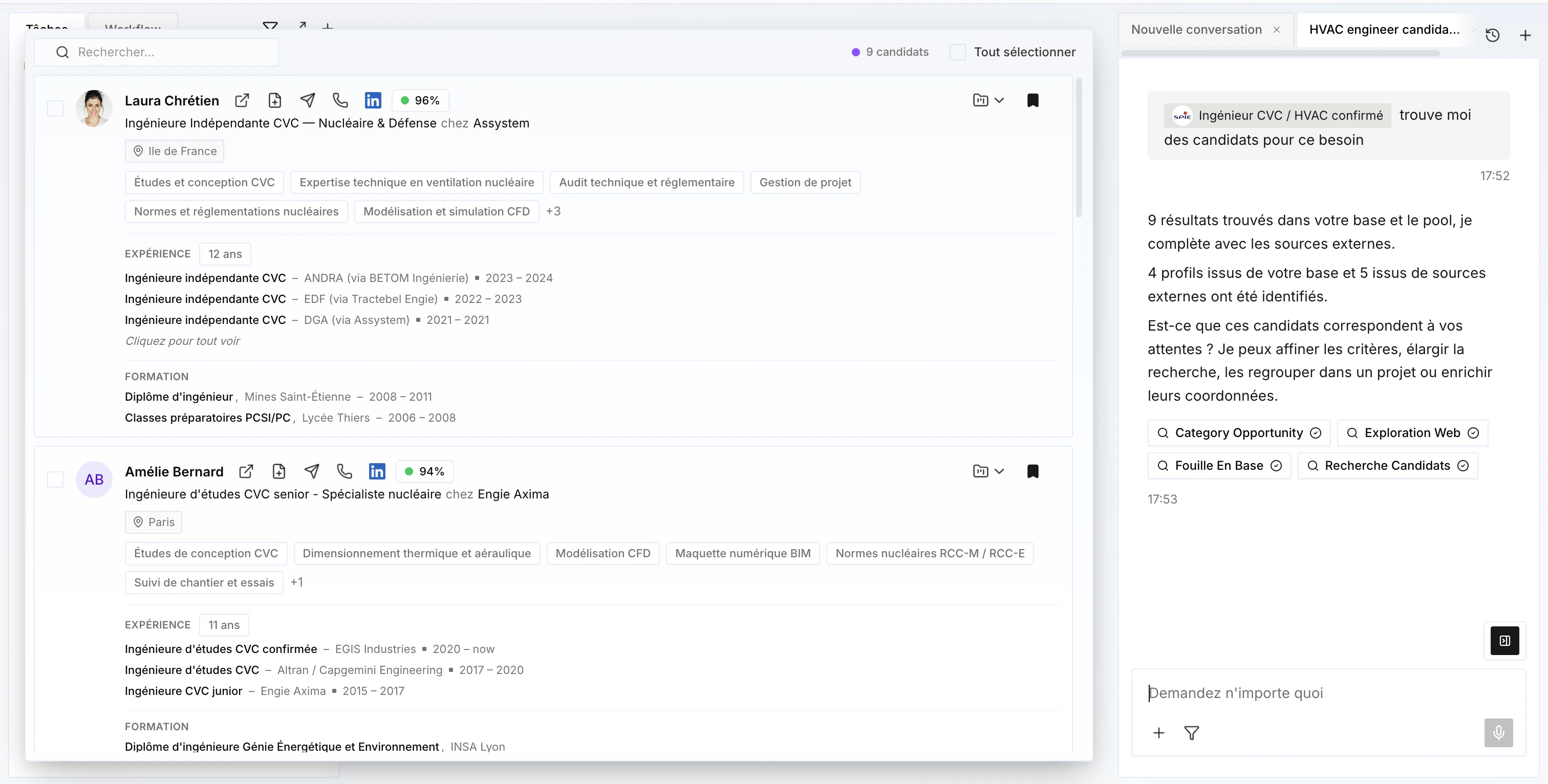
The People Search Engine doesn't return 5,000 results: it returns a **shortlist of the 25 best people** for your query.
## How it works
1. It first searches **inside Cobalt** (your pool) — for example candidates who could match a need, or prospects who might be interested in meeting a candidate.
2. It then complements this with an **external search** covering everyone with **more than 100 LinkedIn connections** — useful to find new candidates or new prospects.
 ## Filters
Refine your searches with the **filters** available on the results — for example location, availability, seniority, or contract type.
## Filters
Refine your searches with the **filters** available on the results — for example location, availability, seniority, or contract type.
 ## Customizable columns
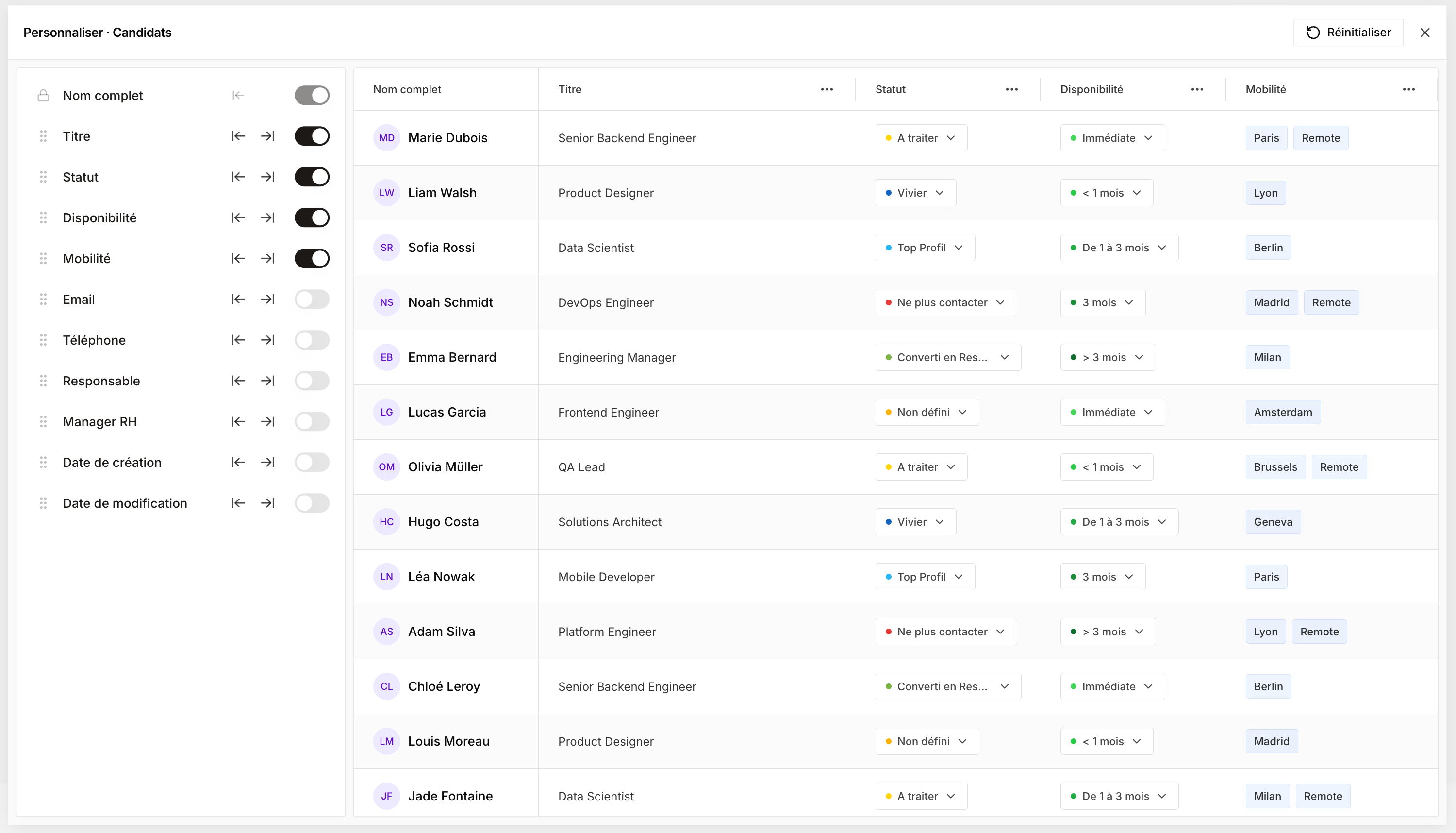
Each user can **customize the columns shown** in the results, at their own level — without affecting the display for other team members.
## Customizable columns
Each user can **customize the columns shown** in the results, at their own level — without affecting the display for other team members.
 ## Relevance score
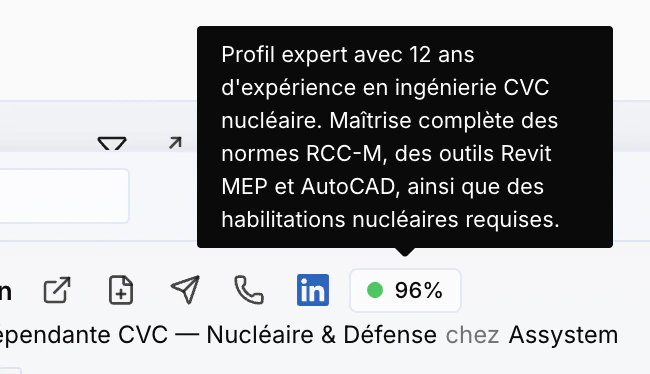
Each profile shows a **score** for your query, along with an **explanation** of what makes the profile relevant.
## Relevance score
Each profile shows a **score** for your query, along with an **explanation** of what makes the profile relevant.
 ## Profile details
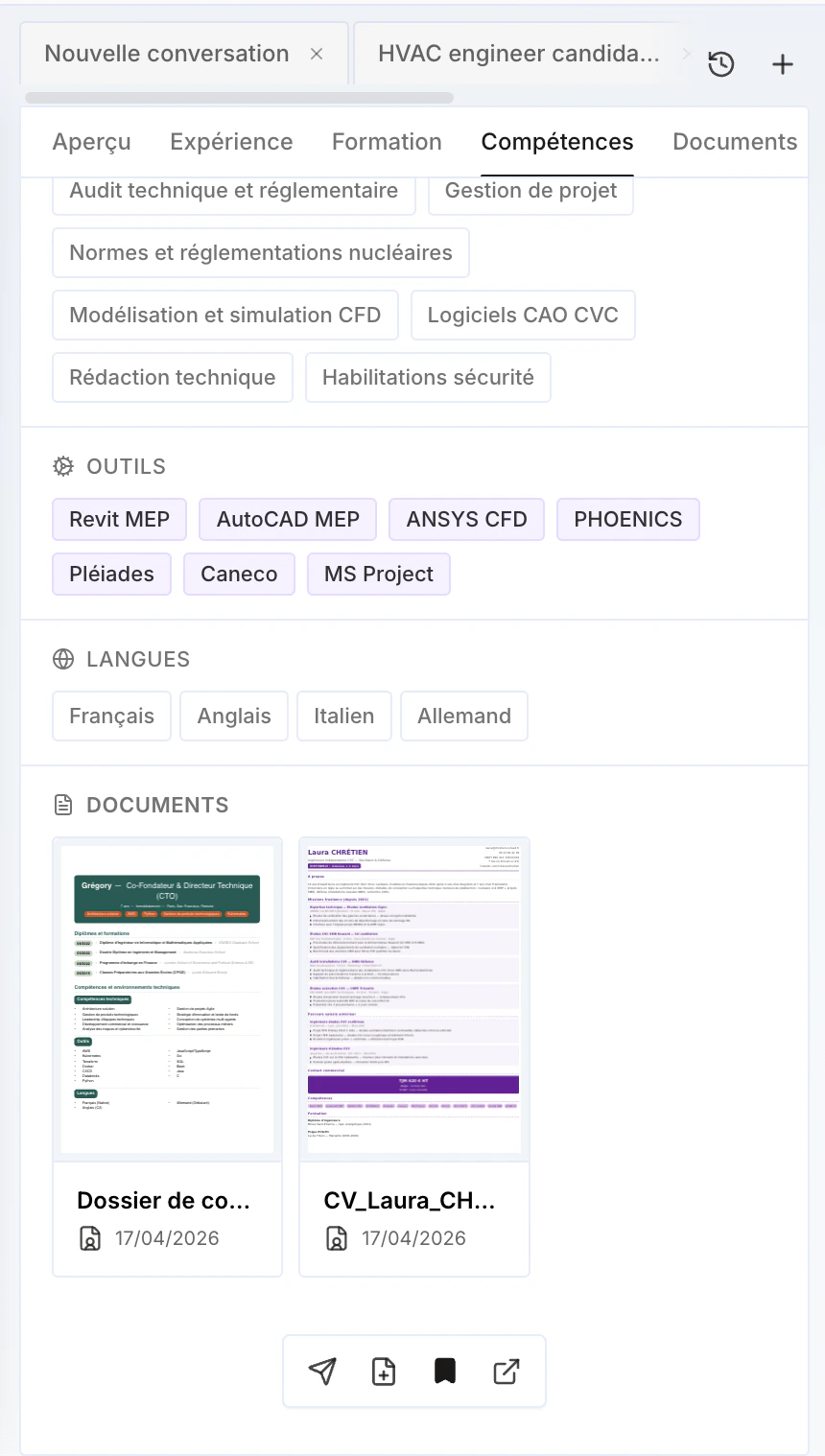
Click a profile to access more information: **past experience, education, and skills**.
You can also **enrich the phone and email** (work and/or personal) — see [Enrichment](/en/fonctionnalites/enrichissement) to learn more.
## Profile details
Click a profile to access more information: **past experience, education, and skills**.
You can also **enrich the phone and email** (work and/or personal) — see [Enrichment](/en/fonctionnalites/enrichissement) to learn more.
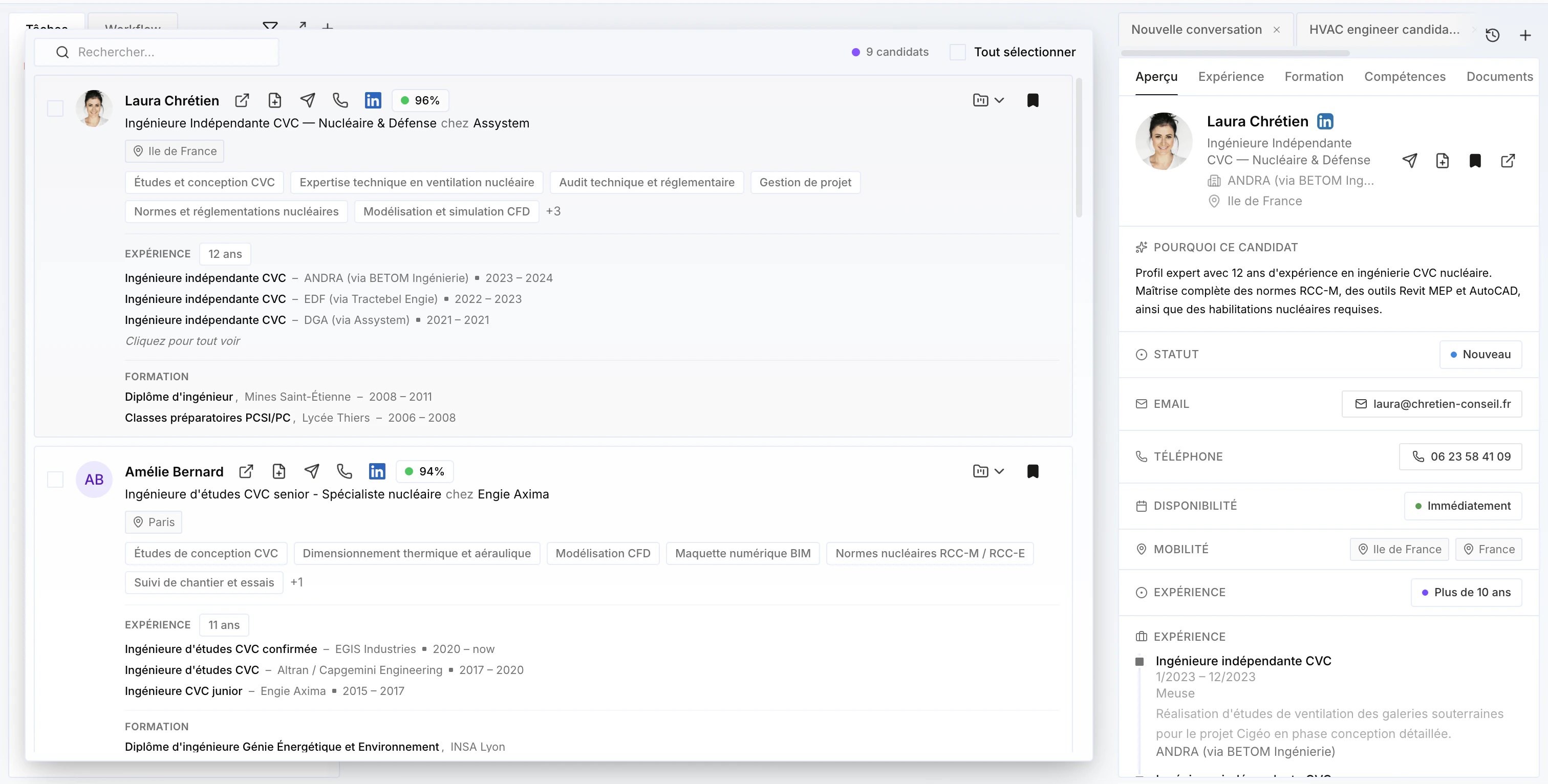 If the candidate is **already in the CRM**, you'll find their **documents** directly — CV, skills documents, and so on.
 ## Add to the CRM or a project
From a profile, add the person directly to the **CRM**, or to a **project** — existing or new if it doesn't exist yet (see [Projects](/en/fonctionnalites/projets/overview) to learn more).
## Add to the CRM or a project
From a profile, add the person directly to the **CRM**, or to a **project** — existing or new if it doesn't exist yet (see [Projects](/en/fonctionnalites/projets/overview) to learn more).
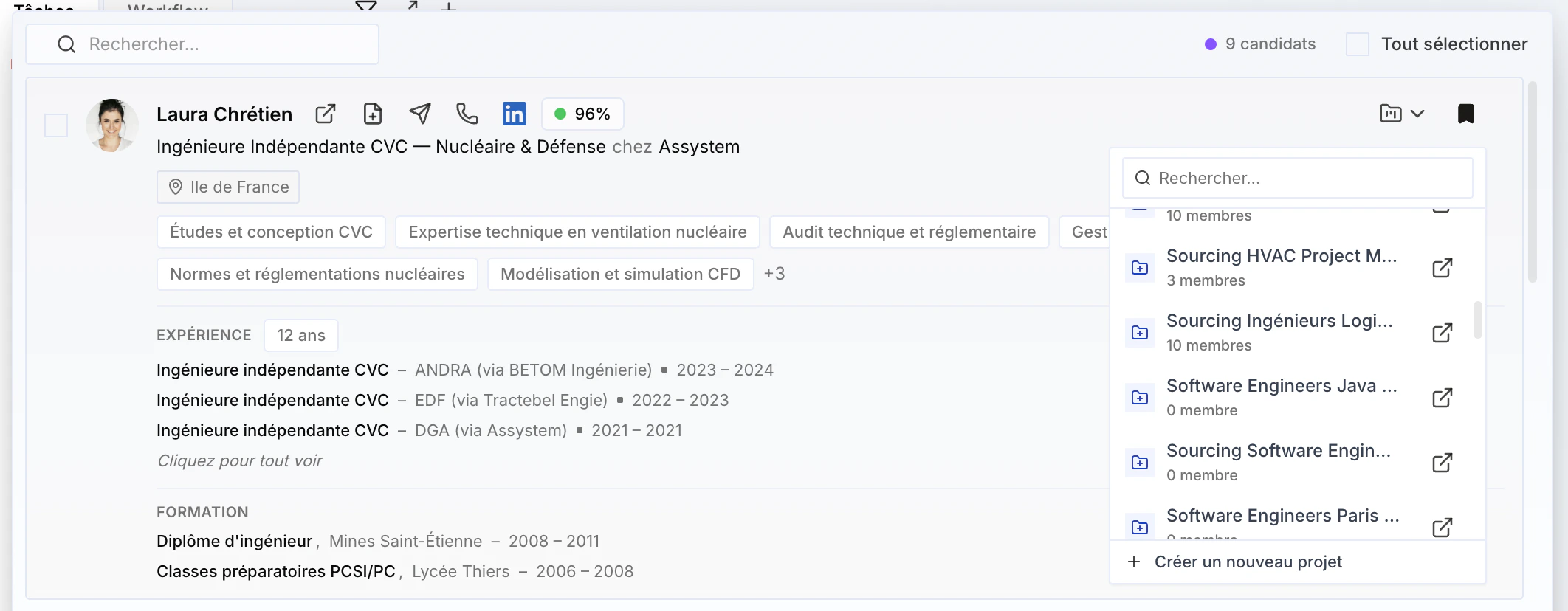 You can add them **one by one** (to different projects or the same one), or **select several — or all** — to add them to a project at once.
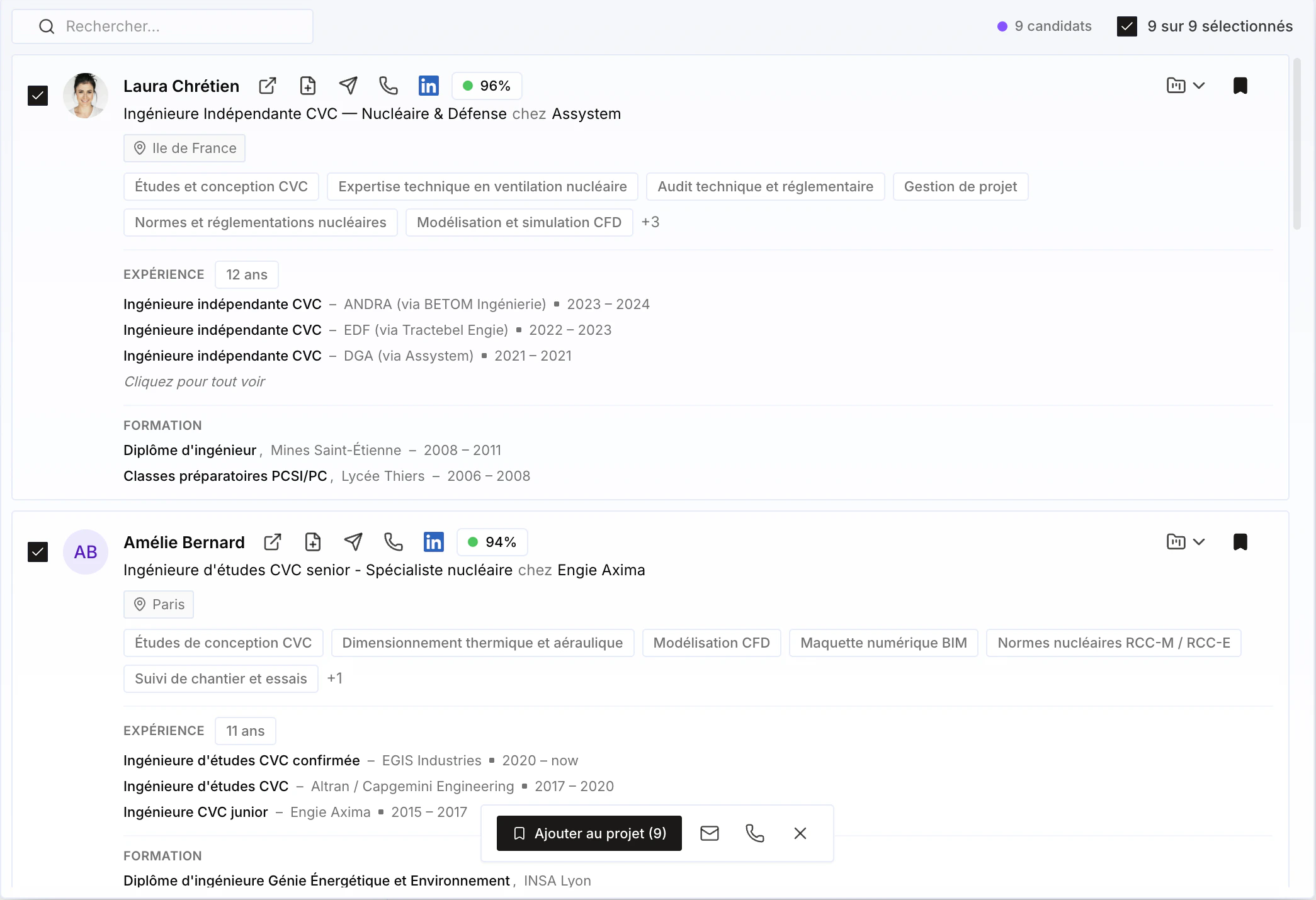 You can also **enrich all phones and emails** before adding them to projects — or do it afterwards, as needed.