> ## Documentation Index
> Fetch the complete documentation index at: https://docs.cobalt-ia.com/llms.txt
> Use this file to discover all available pages before exploring further.
# Skills document
> The skills document (DC) in Cobalt: automatic creation, Word-like editing, versioning, statuses, and sharing with the candidate.
The **skills document (DC)** presents a candidate in a structured, well-laid-out format, ready to share with your clients.
## Automatic creation
By default, a setting **automatically creates a skills document when a candidate is created**, from the **default template** — saving time on every add.
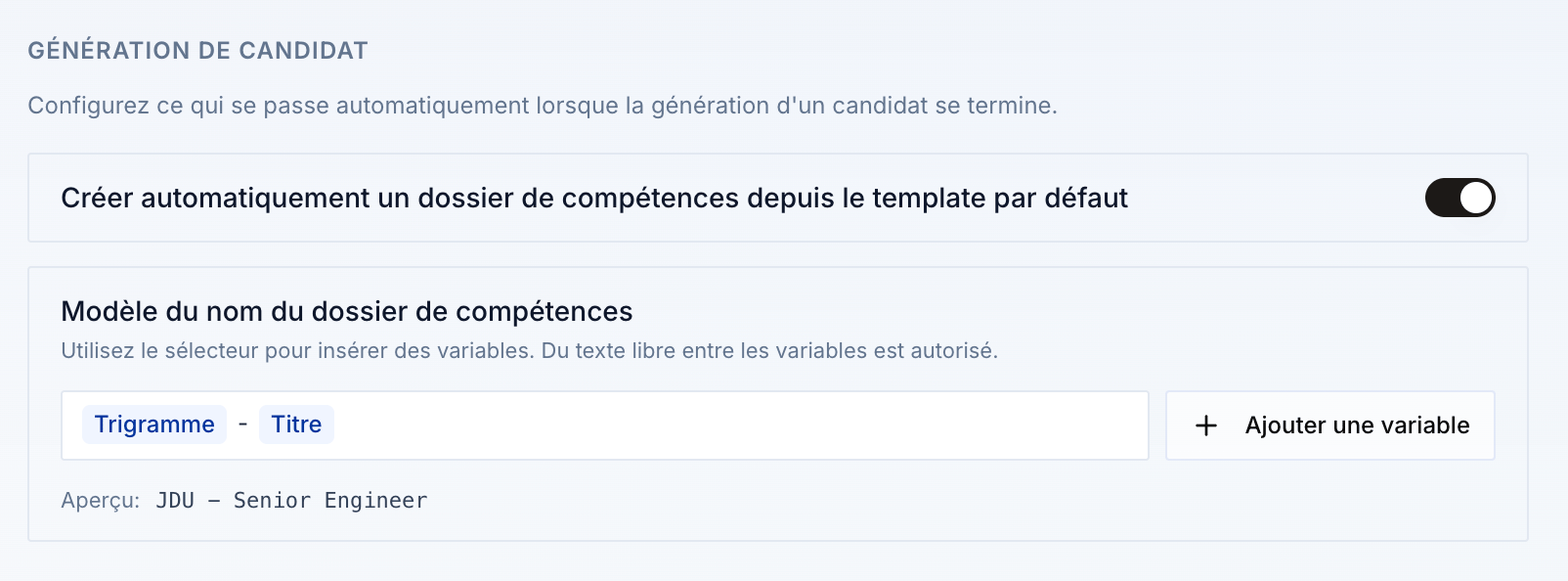 You can enable or disable this behavior in the [settings](/en/fonctionnalites/dossier/parametres).
## Edit the document
On a skills document page, you **edit the document like in Word** — simply and intuitively: add **columns**, **fields**, reorganize the content, and so on.
## Multiple documents per candidate
You can use **versioning** and create **several skills documents for the same candidate**. A document can also be **linked to a need**. See [Versioning](/en/fonctionnalites/dossier/versionning).
## Templates
At onboarding, you have a **default template**. You can create **other templates** if you wish: find them in your **organization settings**, under **Templates and documents**. See [Document templates](/en/fonctionnalites/templates/documents).
## Statuses
A skills document goes through three statuses:
* **Draft** — the default status.
* **Pending** — sent to the candidate, not yet validated.
* **Validated** — validated by the candidate.
## Go further
Have the candidate review and complete the document.
Several documents per candidate, linked to a need.
Export to Word and PDF, in 5 languages.
Automatic creation and document templates.
You can enable or disable this behavior in the [settings](/en/fonctionnalites/dossier/parametres).
## Edit the document
On a skills document page, you **edit the document like in Word** — simply and intuitively: add **columns**, **fields**, reorganize the content, and so on.
## Multiple documents per candidate
You can use **versioning** and create **several skills documents for the same candidate**. A document can also be **linked to a need**. See [Versioning](/en/fonctionnalites/dossier/versionning).
## Templates
At onboarding, you have a **default template**. You can create **other templates** if you wish: find them in your **organization settings**, under **Templates and documents**. See [Document templates](/en/fonctionnalites/templates/documents).
## Statuses
A skills document goes through three statuses:
* **Draft** — the default status.
* **Pending** — sent to the candidate, not yet validated.
* **Validated** — validated by the candidate.
## Go further
Have the candidate review and complete the document.
Several documents per candidate, linked to a need.
Export to Word and PDF, in 5 languages.
Automatic creation and document templates.