> ## Documentation Index
> Fetch the complete documentation index at: https://docs.cobalt-ia.com/llms.txt
> Use this file to discover all available pages before exploring further.
# Workflow
> What workflows are for in Cobalt and how they are assembled.
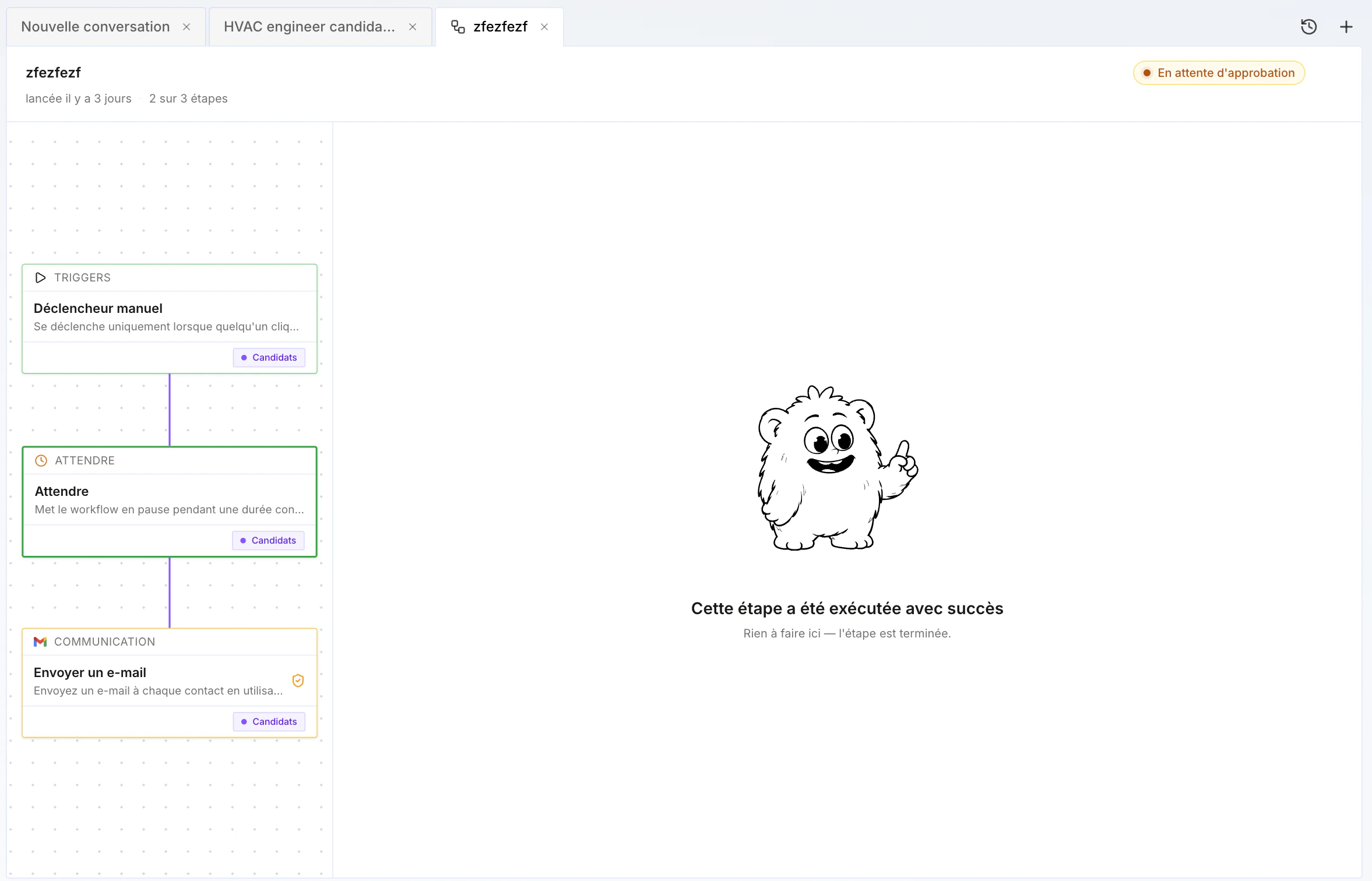
**Workflows** let you **partially or fully automate** tasks in Cobalt: sourcing, enrichment, follow-ups, record updates, task creation, and more.
A workflow is assembled from **blocks** — a trigger, then steps (wait, search, update, communication, manual action, calling another workflow, and so on) — and runs automatically based on its trigger.
See the [Block list](/en/fonctionnalites/liste-blocs) for the details of each available block.
 ## Workflow examples
A few concrete examples:
* **Multichannel outreach** — send a LinkedIn connection request, then a first LinkedIn message; if not connected, send an email; otherwise, enrich the phone number, create a manual task, and call the person.
* **New opportunity** — when an opportunity is created, source (internally and externally) potentially relevant candidates, add them to a project, with human validation to keep or discard profiles.
* **After an interview** — transcribe the interview, re-enrich the profile, generate a new version of the skills document from the enriched profile, then send a follow-up email to the candidate with next steps.
* **Status sync** — when a candidate moves to "top profile" status in a project, also update their "top profile" status in the ATS.
…and many more depending on your processes.
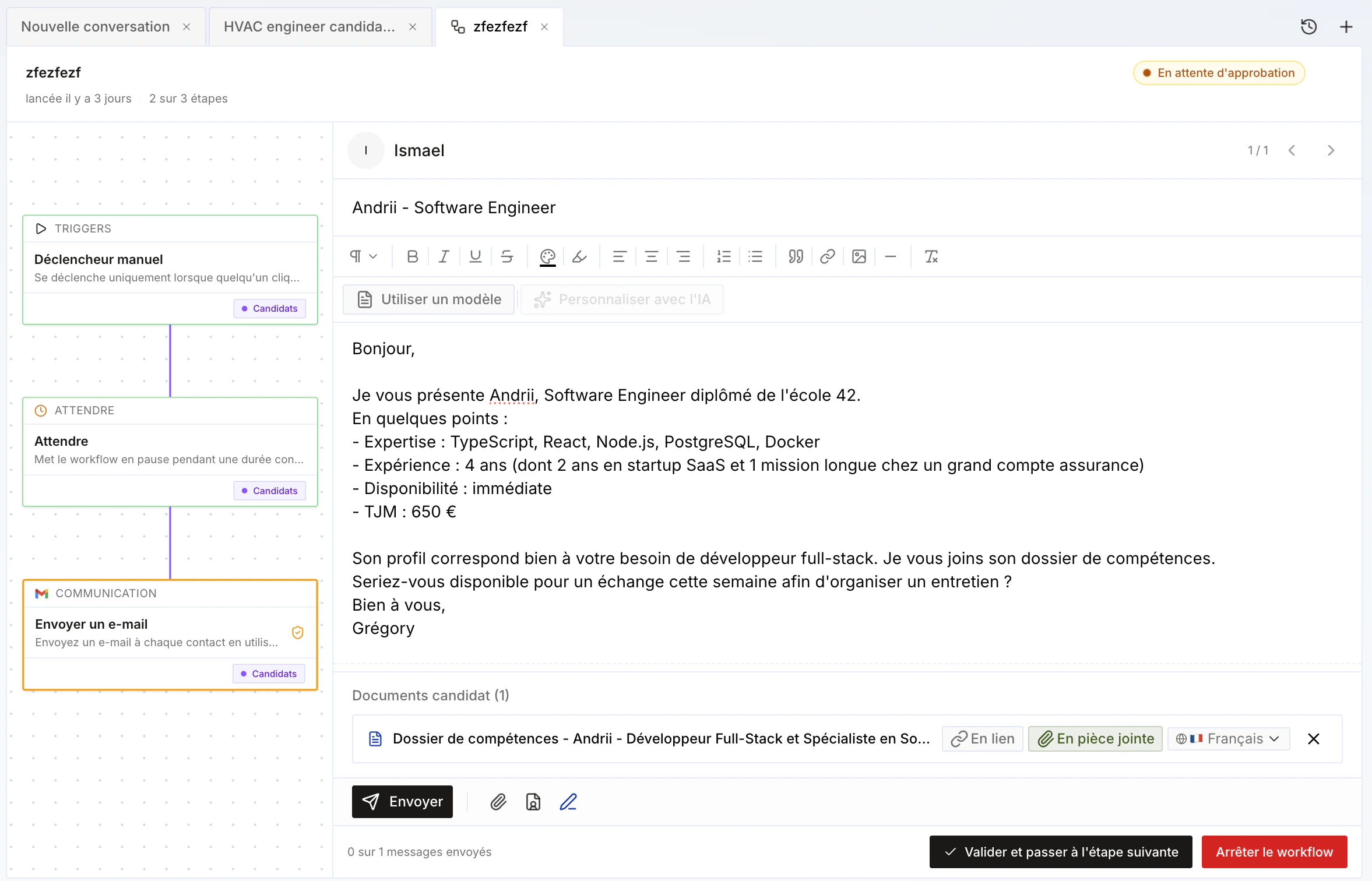
## Human validation
Most blocks have a **human validation** option: the workflow **does not continue** until the user validates (or invalidates) it.
This is handy for validating auto-sourced candidates, or for reviewing and personalizing certain emails before they're sent — anything that helps **keep quality high while doing volume** through automation.
You can run everything fully automatically if you want, or — recommended — run it **semi-manually** to focus on the highest-value actions.
## Workflow examples
A few concrete examples:
* **Multichannel outreach** — send a LinkedIn connection request, then a first LinkedIn message; if not connected, send an email; otherwise, enrich the phone number, create a manual task, and call the person.
* **New opportunity** — when an opportunity is created, source (internally and externally) potentially relevant candidates, add them to a project, with human validation to keep or discard profiles.
* **After an interview** — transcribe the interview, re-enrich the profile, generate a new version of the skills document from the enriched profile, then send a follow-up email to the candidate with next steps.
* **Status sync** — when a candidate moves to "top profile" status in a project, also update their "top profile" status in the ATS.
…and many more depending on your processes.
## Human validation
Most blocks have a **human validation** option: the workflow **does not continue** until the user validates (or invalidates) it.
This is handy for validating auto-sourced candidates, or for reviewing and personalizing certain emails before they're sent — anything that helps **keep quality high while doing volume** through automation.
You can run everything fully automatically if you want, or — recommended — run it **semi-manually** to focus on the highest-value actions.
 ## Workflow templates by meeting use case
When creating a meeting, you choose a **meeting use case**: **candidate**, **client**, **qualification**, or **internal** (see [Transcription](/en/fonctionnalites/transcription#use-case-per-meeting-type)). Cobalt provides **4 default workflow templates**, one for each of these use cases — designed for typical staffing agency (ESN) processes.
Each template starts with a **creation trigger** (fires when a new transcription is created), followed by an **enrichment** step for the profile, then a **Condition** block that **routes by use case**: depending on the meeting's sub-use case — for a candidate: E1, E2, qualification prep…; for a client: prospecting…; internally: weekly… — the workflow continues down a different branch.
## Workflow templates by meeting use case
When creating a meeting, you choose a **meeting use case**: **candidate**, **client**, **qualification**, or **internal** (see [Transcription](/en/fonctionnalites/transcription#use-case-per-meeting-type)). Cobalt provides **4 default workflow templates**, one for each of these use cases — designed for typical staffing agency (ESN) processes.
Each template starts with a **creation trigger** (fires when a new transcription is created), followed by an **enrichment** step for the profile, then a **Condition** block that **routes by use case**: depending on the meeting's sub-use case — for a candidate: E1, E2, qualification prep…; for a client: prospecting…; internally: weekly… — the workflow continues down a different branch.
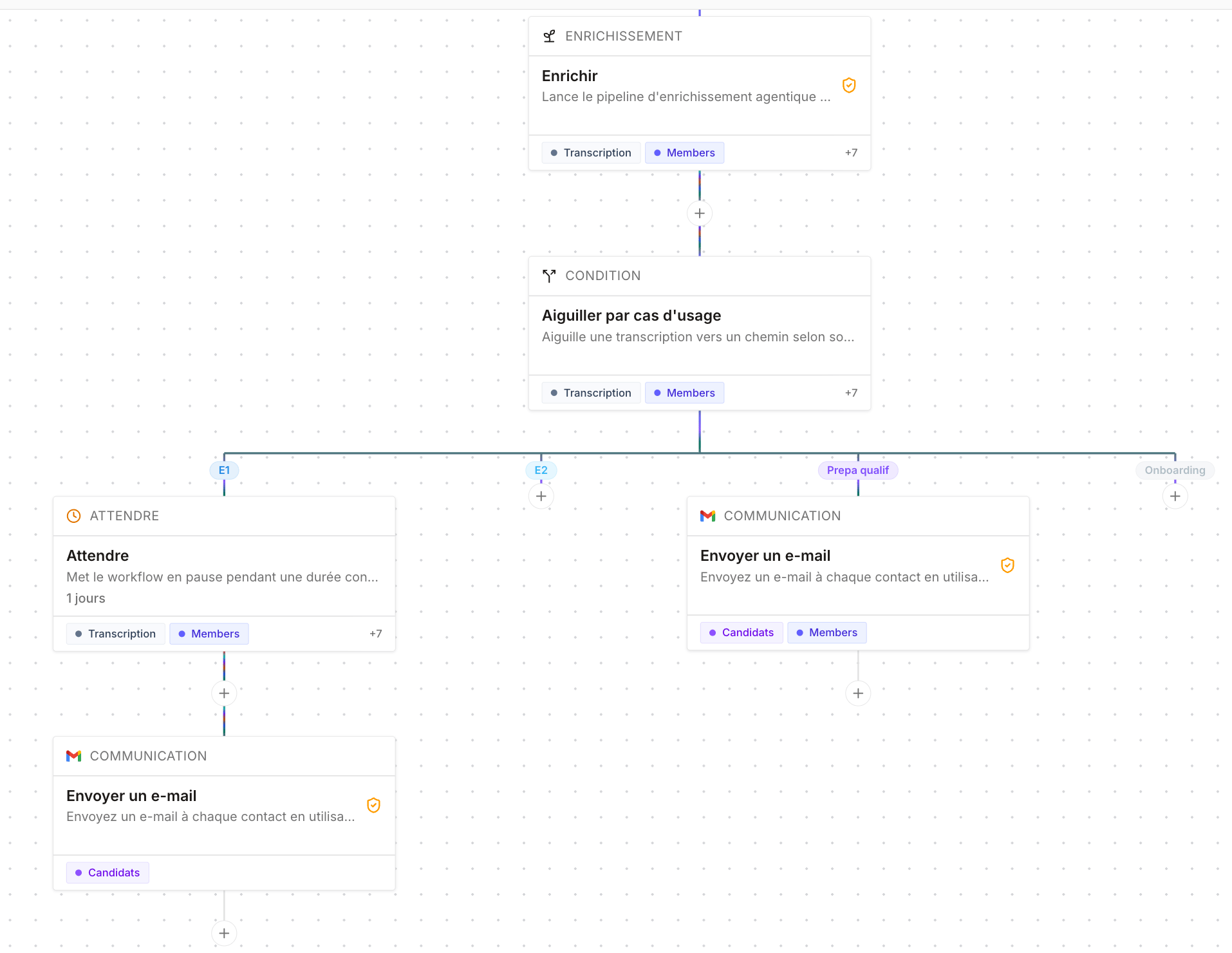 A few examples of possible continuations depending on the sub-use case:
* **After a first candidate interview (E1)** — send the candidate an email asking for a competitor's skills document.
* **After a qualification prep** — send the candidate a recap of the key points to remember ahead of the qualification meeting with the client.
* **After an interview** — automatically generate a new version of the skills document from the profile enriched by the transcription.
See also [Interaction templates](/en/fonctionnalites/templates/interactions) for automatic meeting summaries.
## Execution tracking
The dashboard's **Workflow** sidebar shows the real-time execution of your workflows. Steps requiring **human validation** — such as enrichment, task creation, or reviewing an email before it's sent — appear there as **to process**: validate them to move the workflow to its next step.
**Filters** let you find executions by status: **In progress**, **To validate**, **Succeeded**, **Failed**, **Cancelled**, **Recipient replied**.
A few examples of possible continuations depending on the sub-use case:
* **After a first candidate interview (E1)** — send the candidate an email asking for a competitor's skills document.
* **After a qualification prep** — send the candidate a recap of the key points to remember ahead of the qualification meeting with the client.
* **After an interview** — automatically generate a new version of the skills document from the profile enriched by the transcription.
See also [Interaction templates](/en/fonctionnalites/templates/interactions) for automatic meeting summaries.
## Execution tracking
The dashboard's **Workflow** sidebar shows the real-time execution of your workflows. Steps requiring **human validation** — such as enrichment, task creation, or reviewing an email before it's sent — appear there as **to process**: validate them to move the workflow to its next step.
**Filters** let you find executions by status: **In progress**, **To validate**, **Succeeded**, **Failed**, **Cancelled**, **Recipient replied**.